Pentor Exchange
Redesign of the mobile application for a popular currency exchange network in Bangkok.
Fintech
Mobile
B2C
Company
Snocko Technologies Co.Ltd
Role
Product Designer
Pentor Exchange is a popular network of currency exchange points with the best rates in Bangkok, Thailand. The network has a mobile application of the same name for checking currency rates and information about the locations of exchange points.
Task
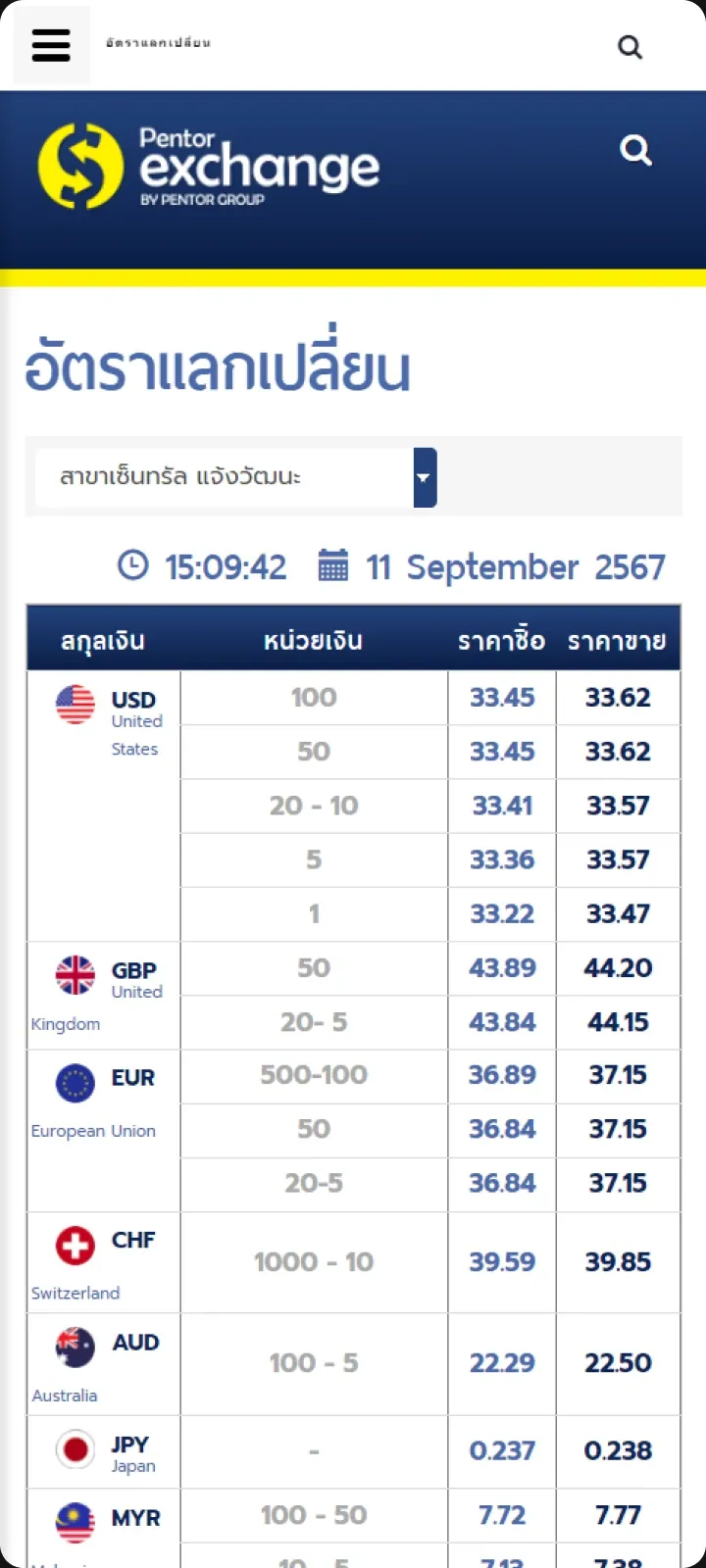
A complete redesign of the application. Reason: the old application was severely outdated — its design did not meet visual standards or usability criteria. Additionally, the application lacked features that competitors had long since implemented.
The interface of the old application:
Problem
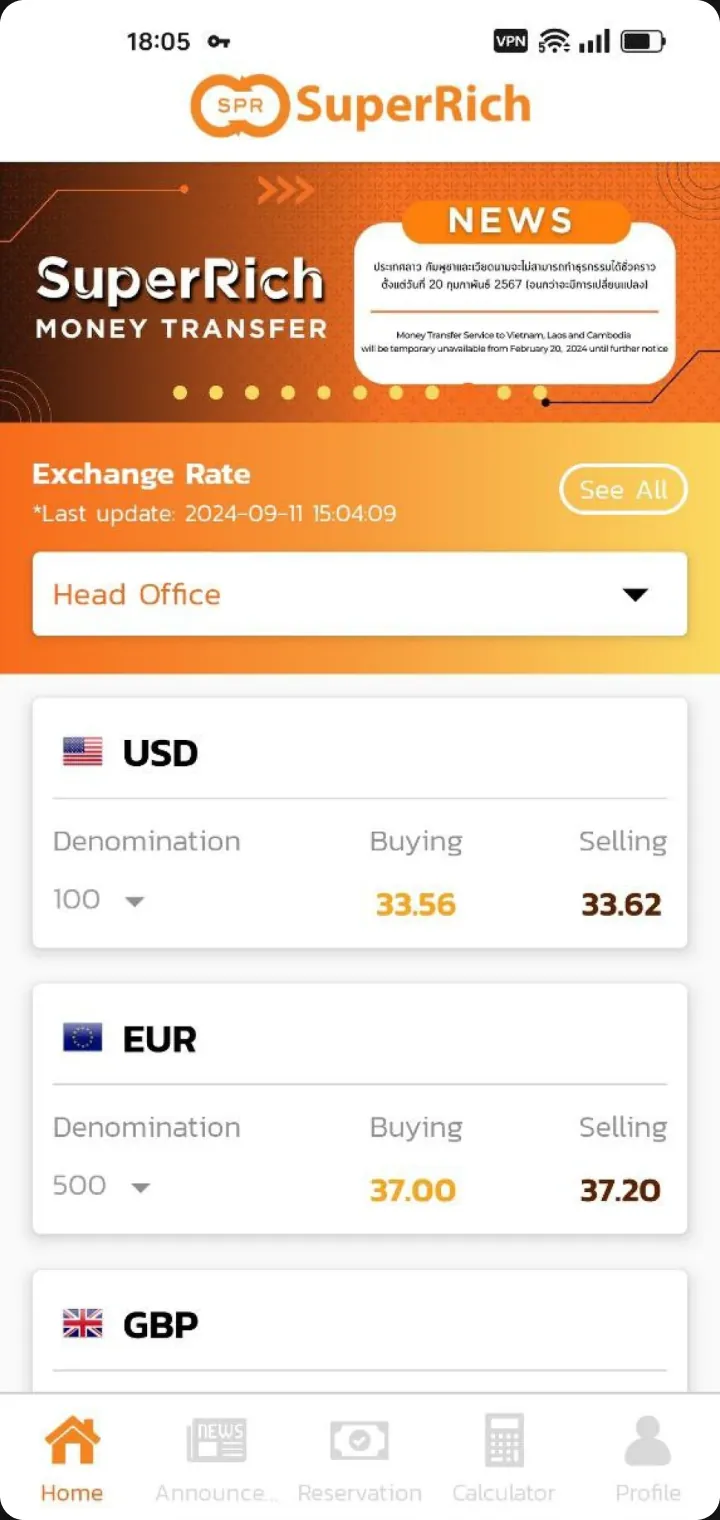
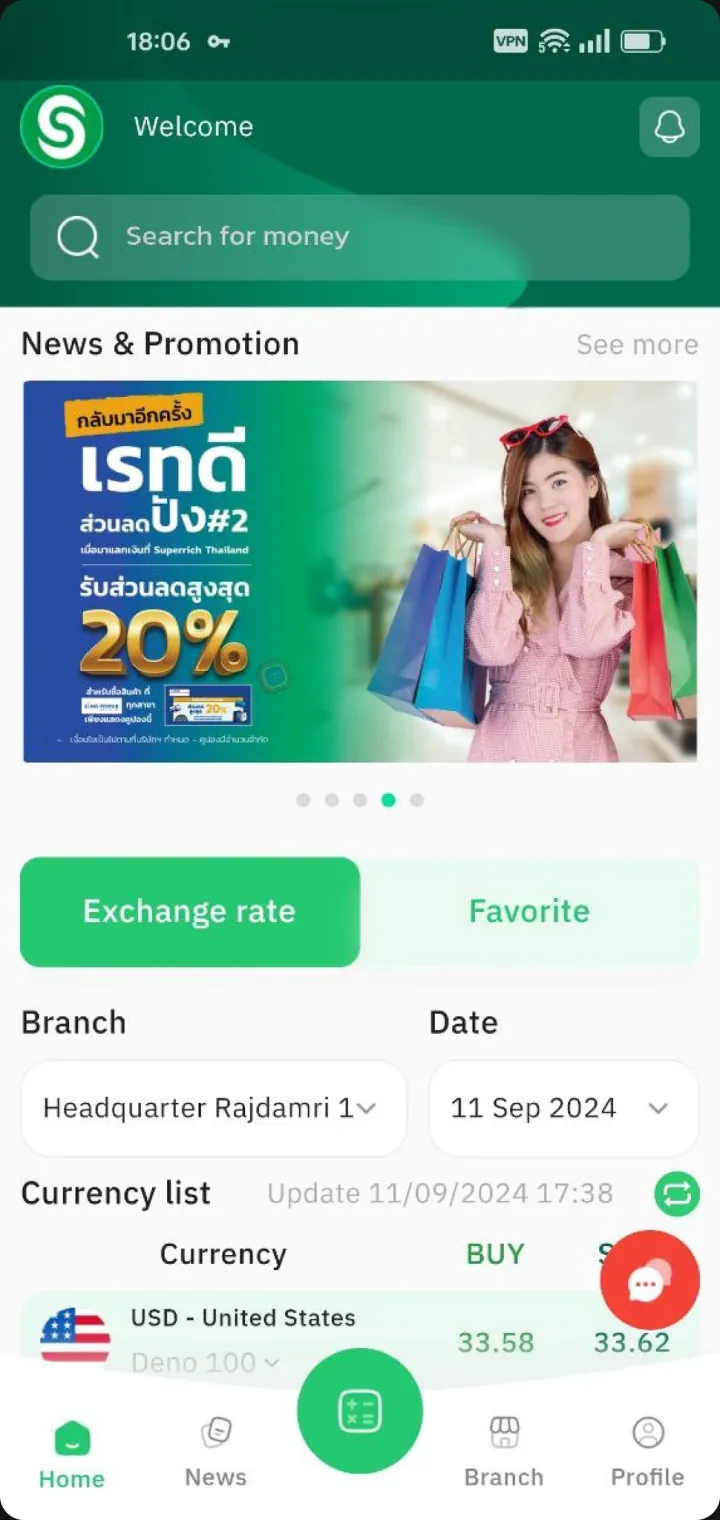
There is a clear problem in the market for applications that monitor exchange rates: all players tend to copy market leaders — the applications of the SuperRich and SuperRich1965 exchange networks. These applications are far from the most user-friendly, so instead of blind copying, I insisted on conducting at least corridor testing to ensure that the solutions implemented by market leaders were far from ideal.
Hypotheses
Since one of the requirements was to design an exchange calculator, which I believed was not the most user-friendly among competitors, it became necessary to conduct a small test to confirm two formulated hypotheses. For this, I conducted corridor testing with 15 colleagues.
Hypothesis #1
Some people get confused by tables showing buying and selling rates. Buying — who is buying? Selling — who is selling? The exchange point or the person exchanging currency?
In my opinion, it would be much clearer if the interface asked how much currency the person has and how much they want to receive in exchange.
Hypothesis #2
Not everyone understands what denomination means, and using this word in the interface to denote a function is incorrect.
This hypothesis arose after the need to implement a function that competitors already had — indicating in the calculator the banknotes of each denomination for the amount that these banknotes can be exchanged for.
During testing, almost all 15 colleagues agreed with me, so it was decided to design an interface different from competitors.
Exchange Rates
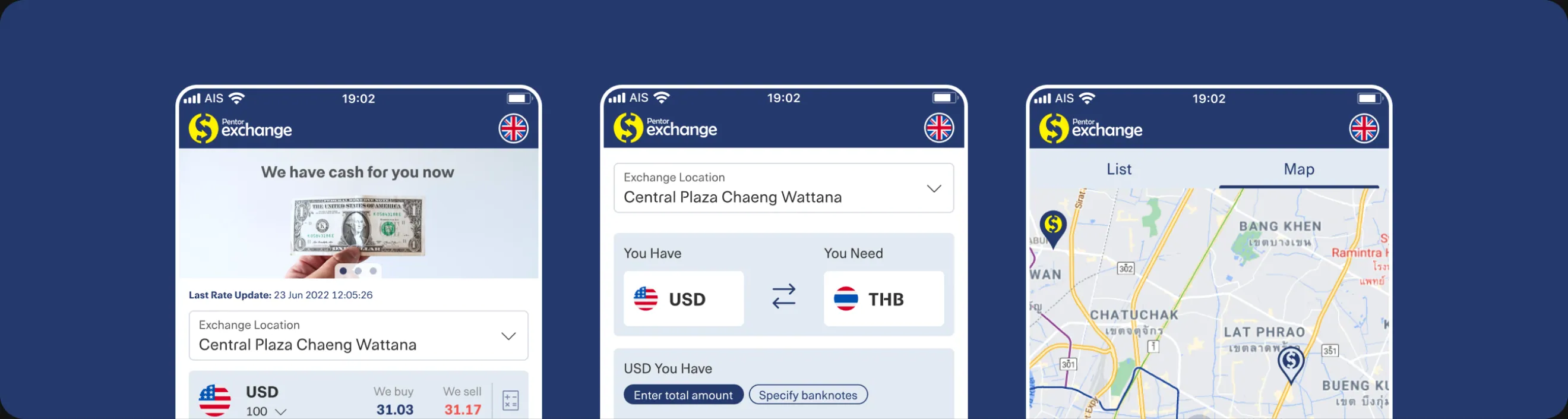
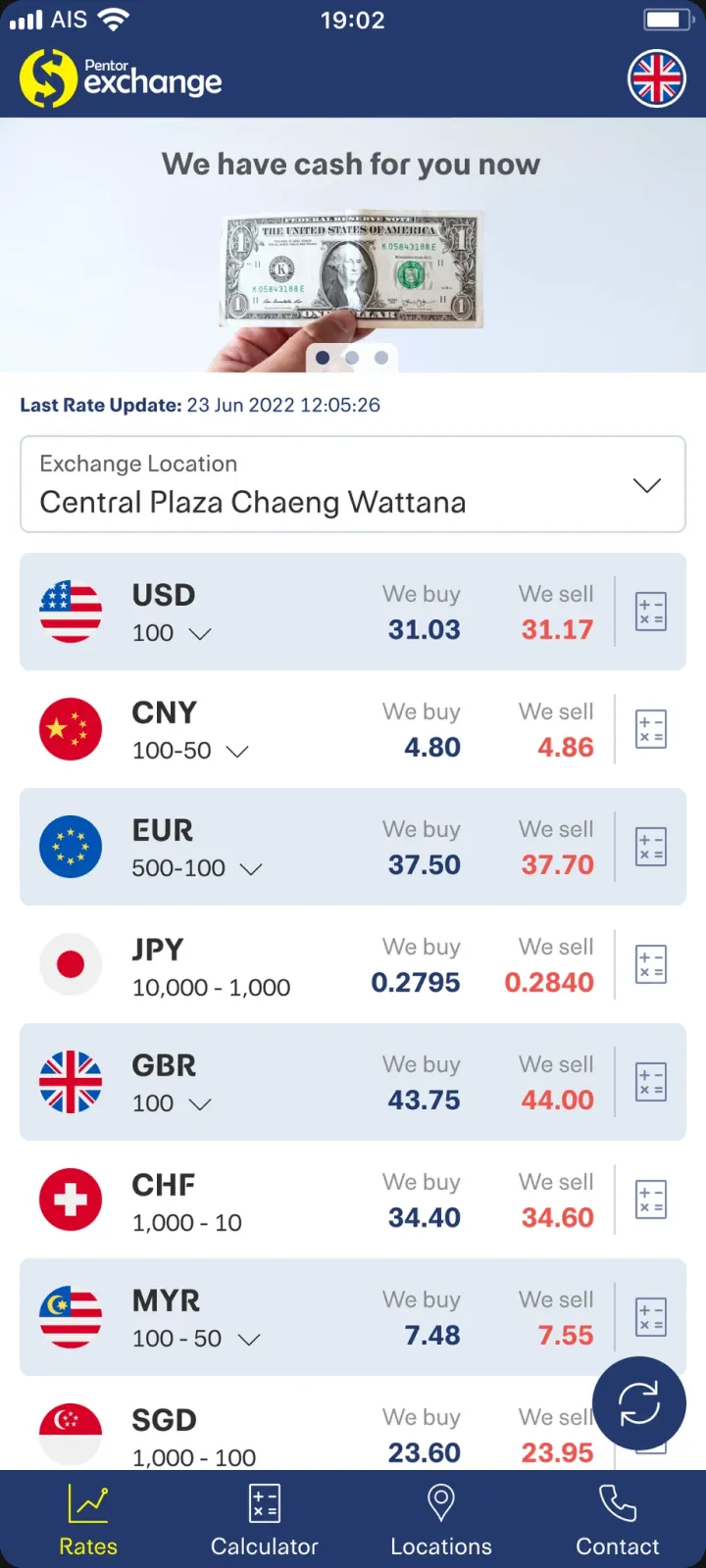
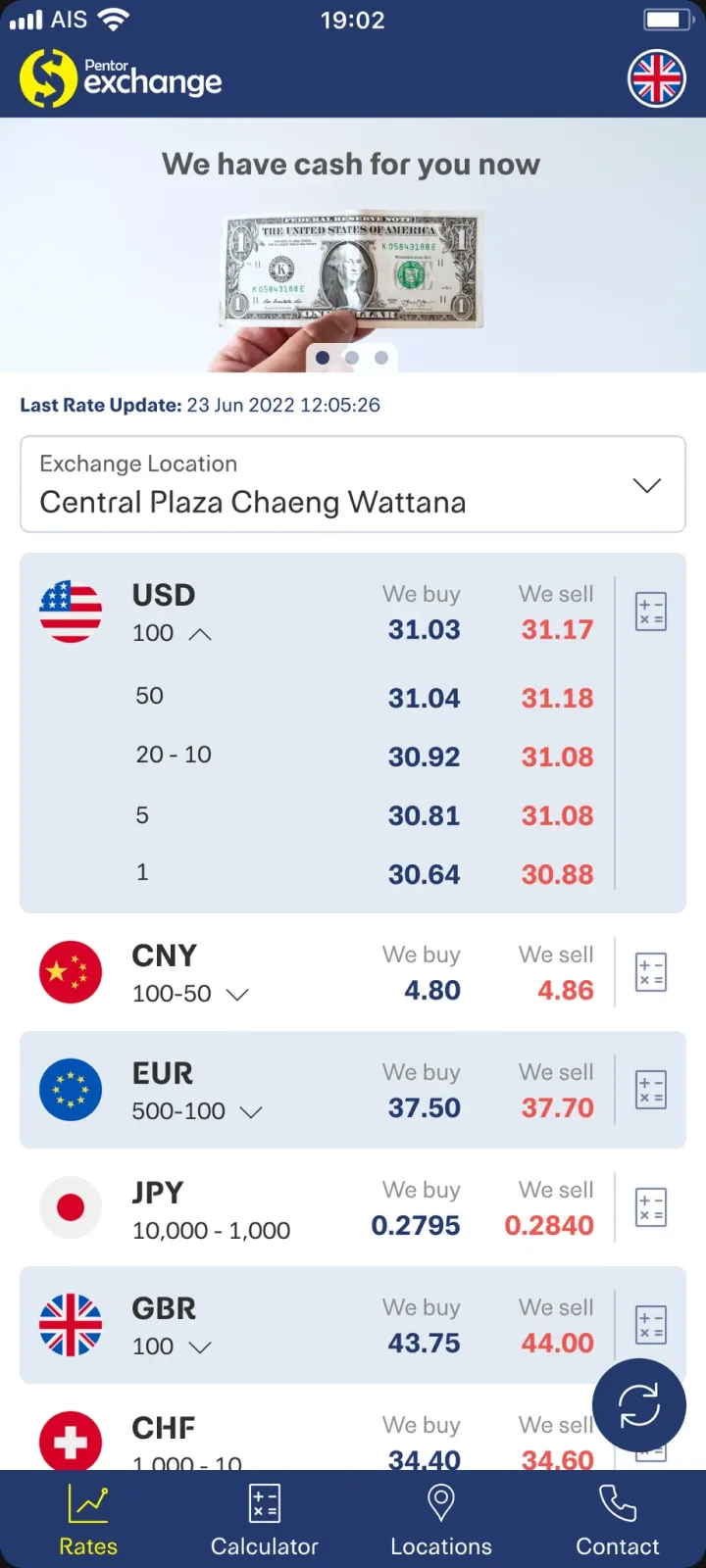
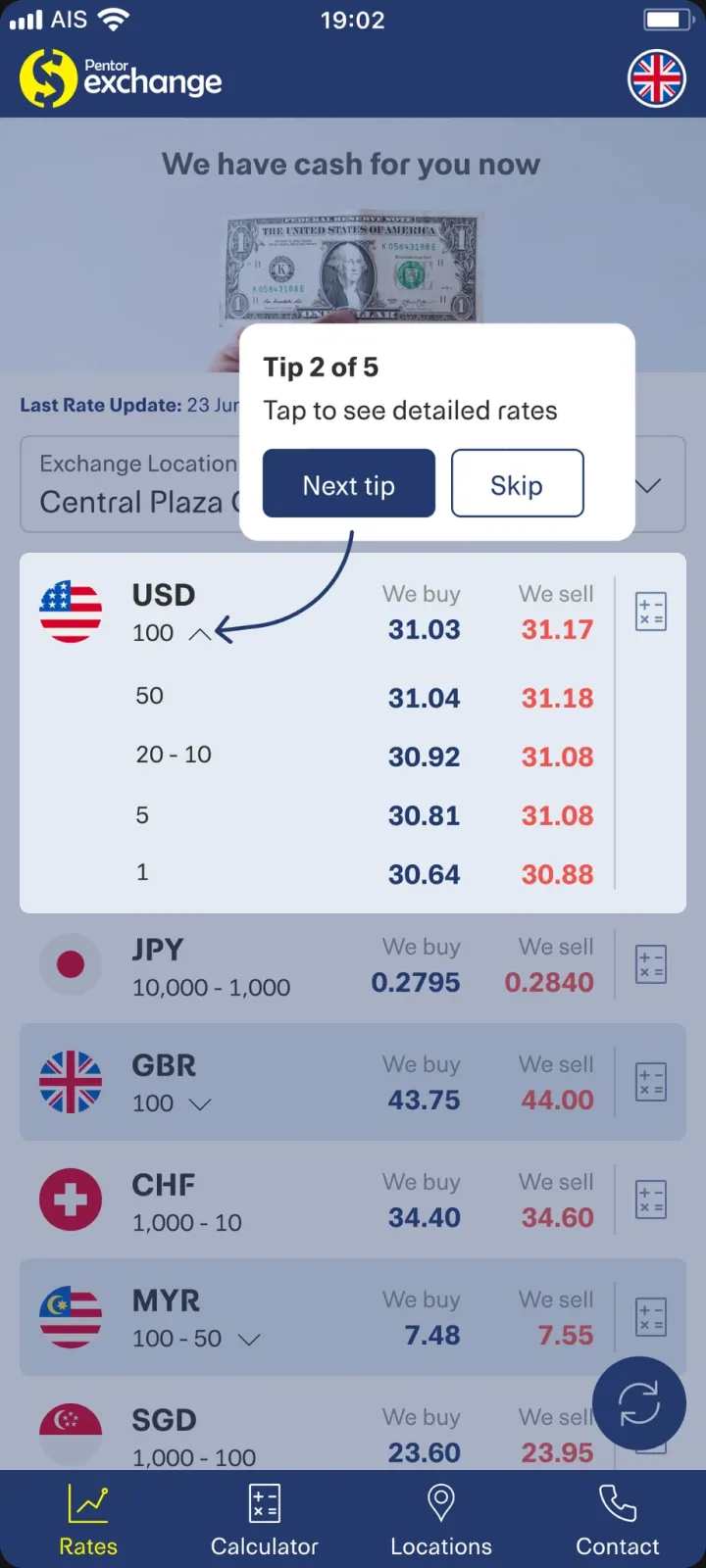
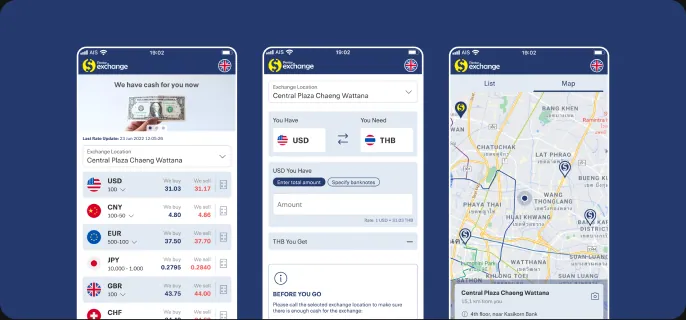
Based on the confirmed hypothesis #1, the infamous Buying and Selling were replaced with the clearer We buy and We sell, to make it clear who is selling and buying — specifically the exchange point, not the person making the exchange. Thus, there is no room for misunderstanding on this screen.
Calculator
Here, conclusions from both the first and second hypotheses were used.
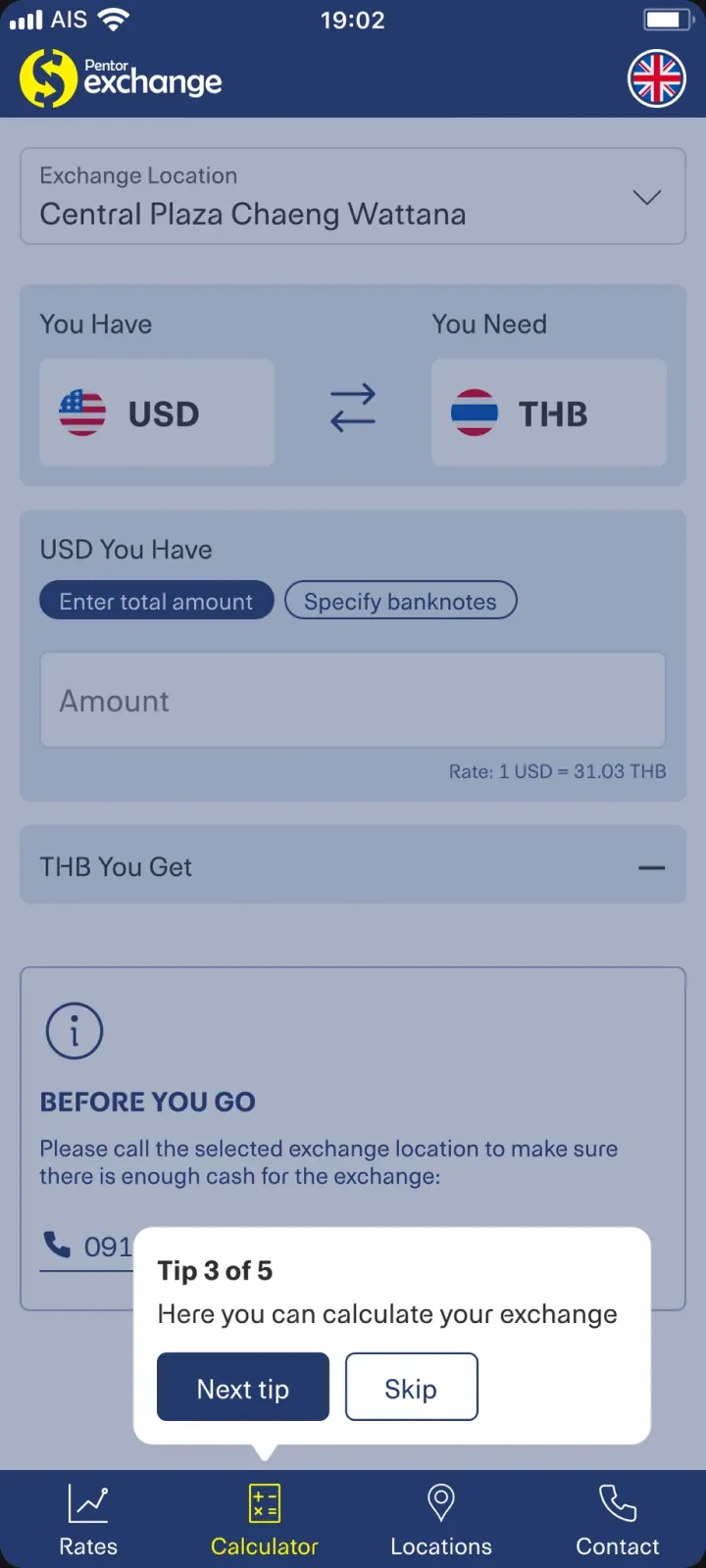
Indication of the total exchange amount
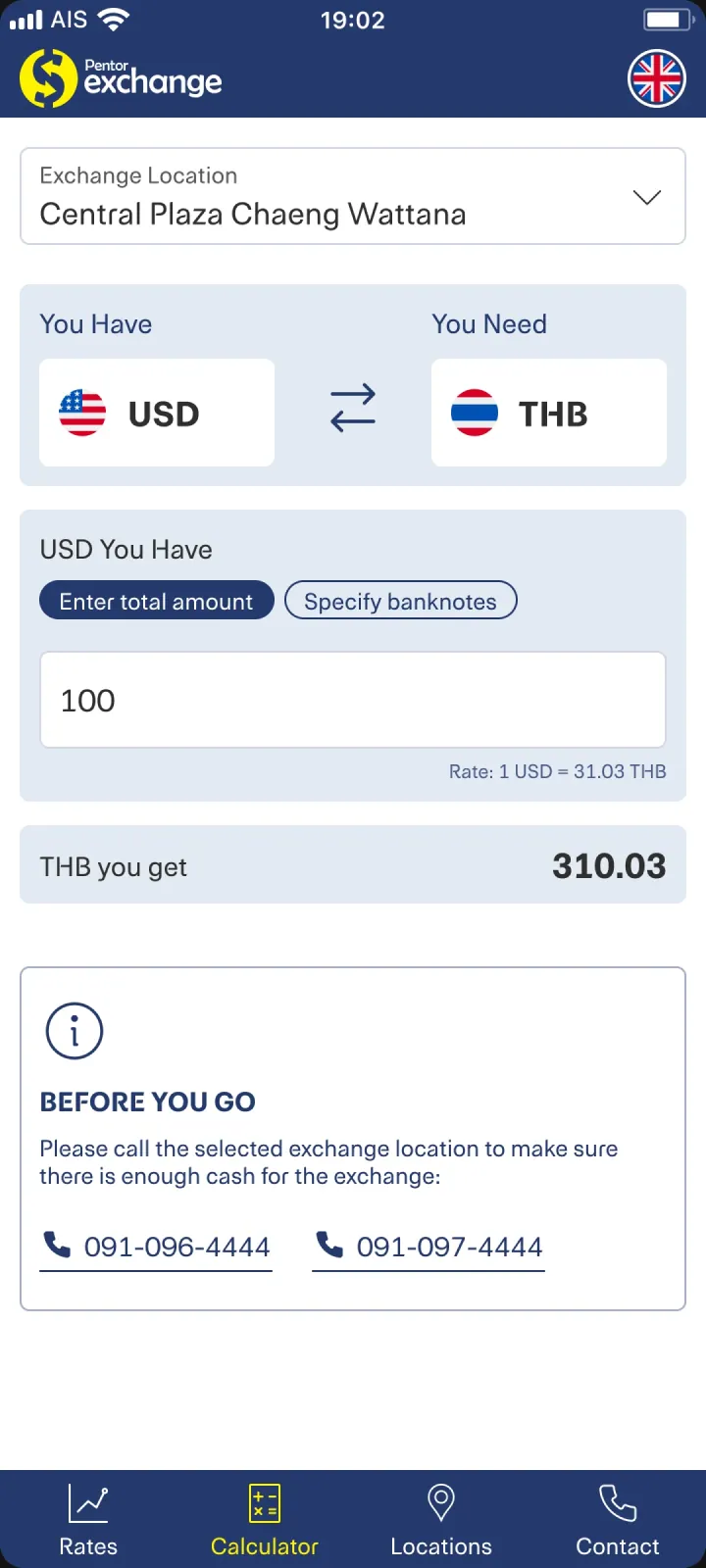
The application clearly asks what currency the user has and what they want to receive in return. The user then enters the amount of currency they have and receives an answer regarding how much they will get for the exchange.
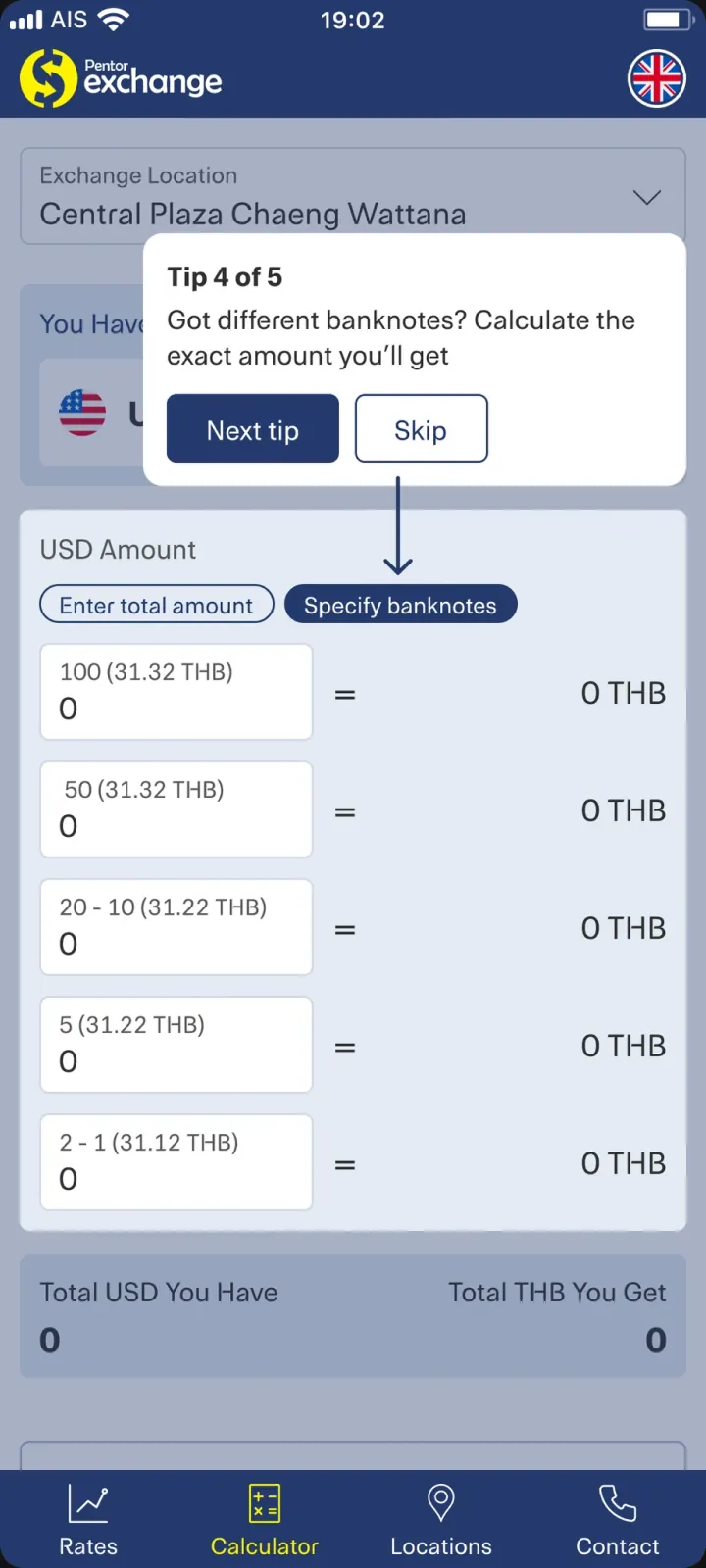
Indication of the amount of banknotes of each denomination
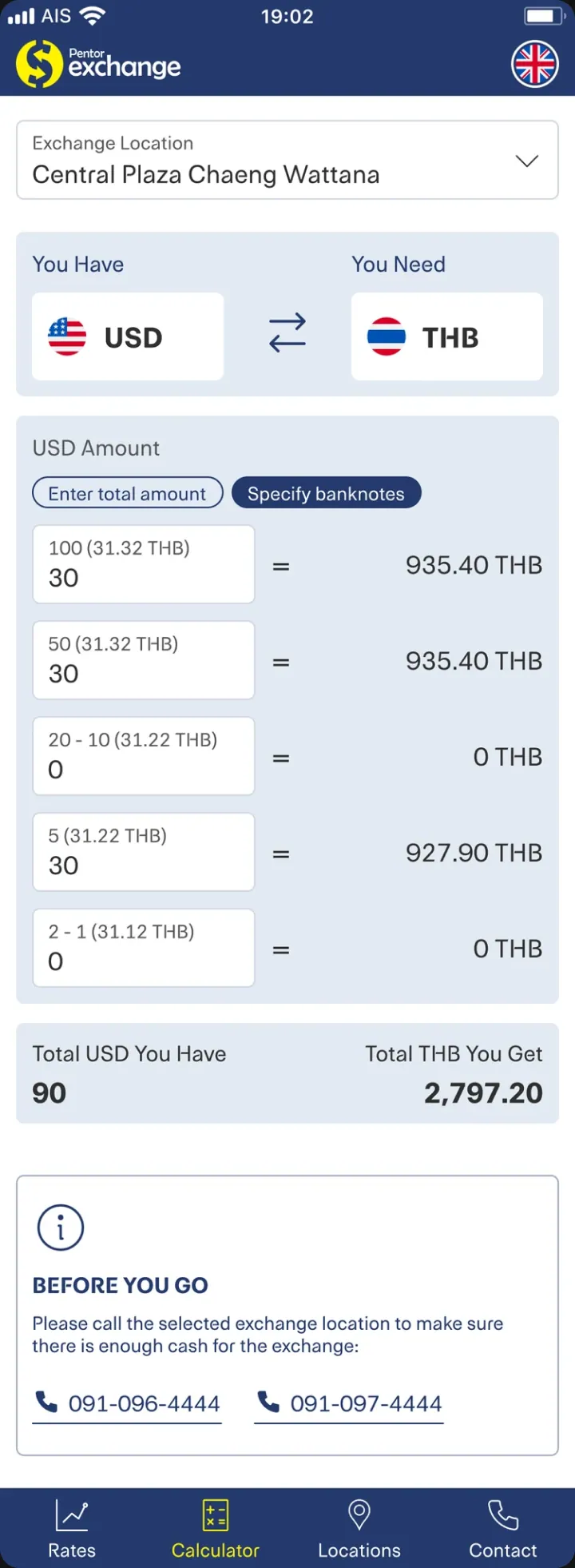
If the user wants to know the exact amount they will receive as a result of the exchange, they can specify the amounts of banknotes of all denominations they have, and the application will calculate the exact amount of currency they will receive in return. This option is only available if the currency to be received has multiple denominations (for example, USD).
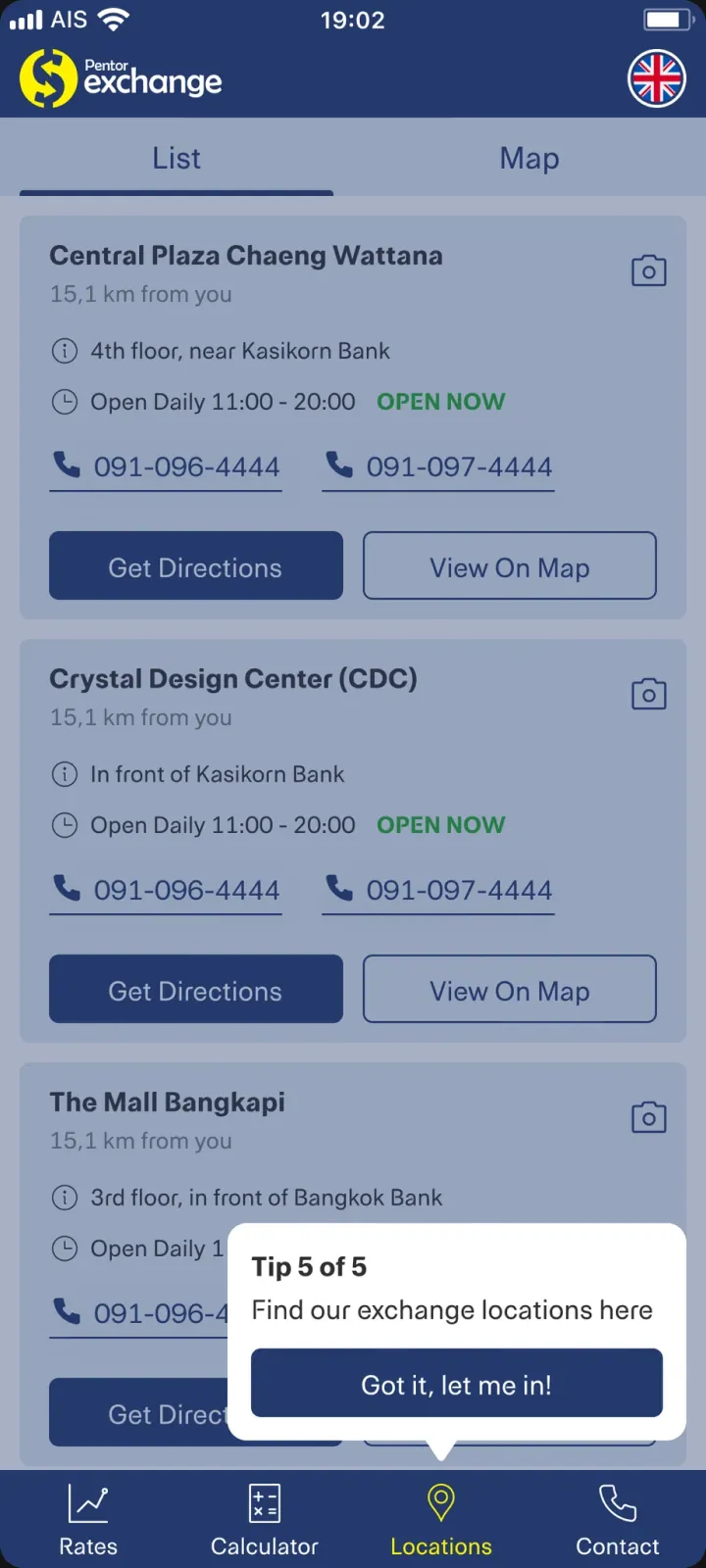
Locations of Exchange Points
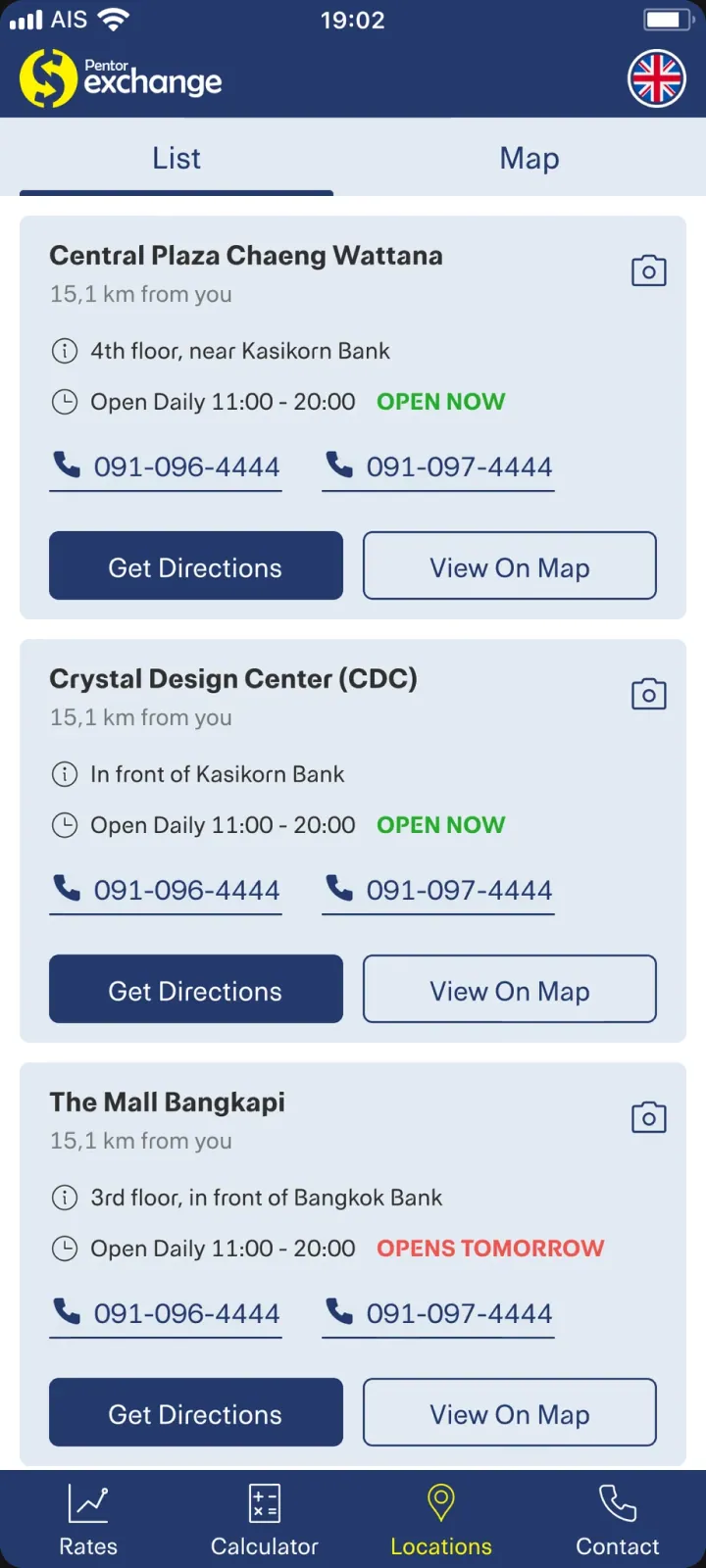
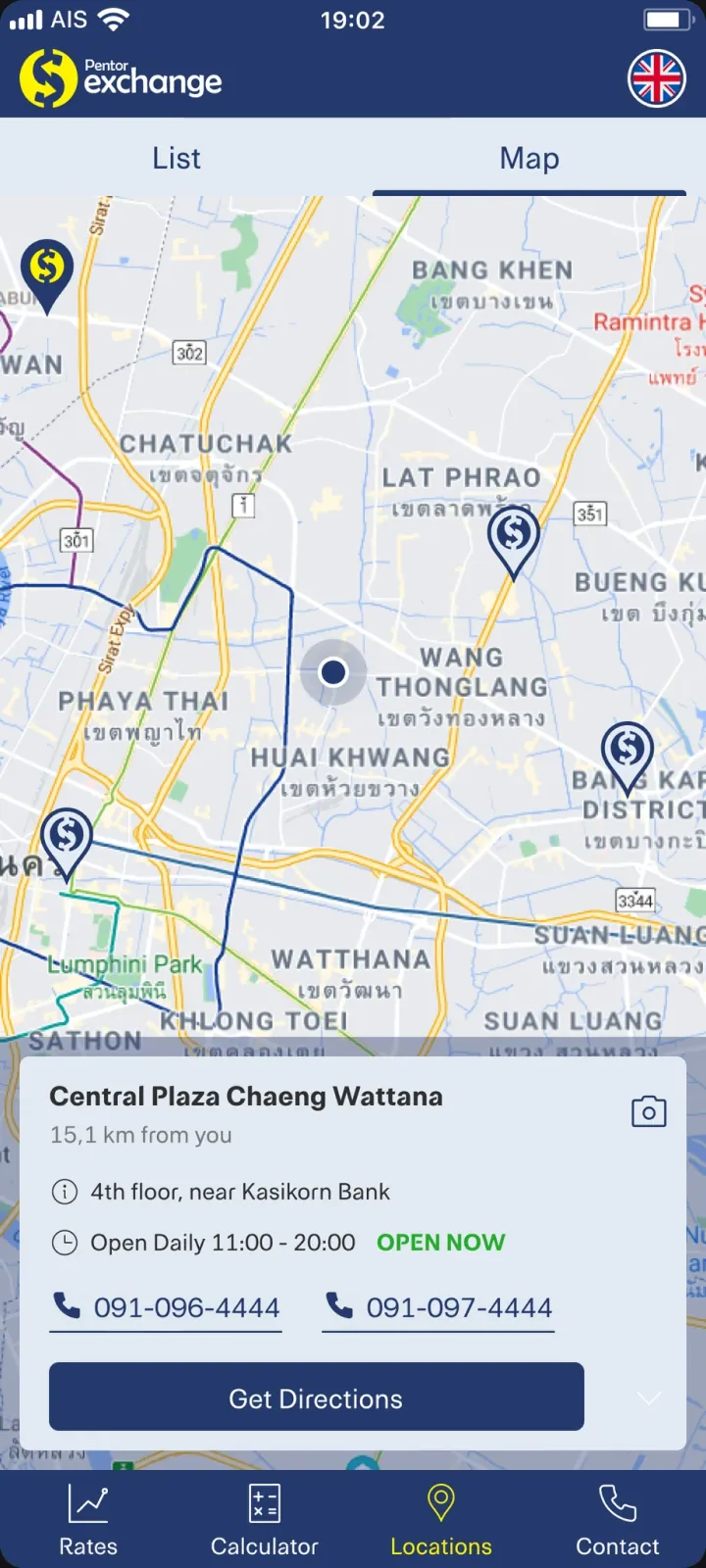
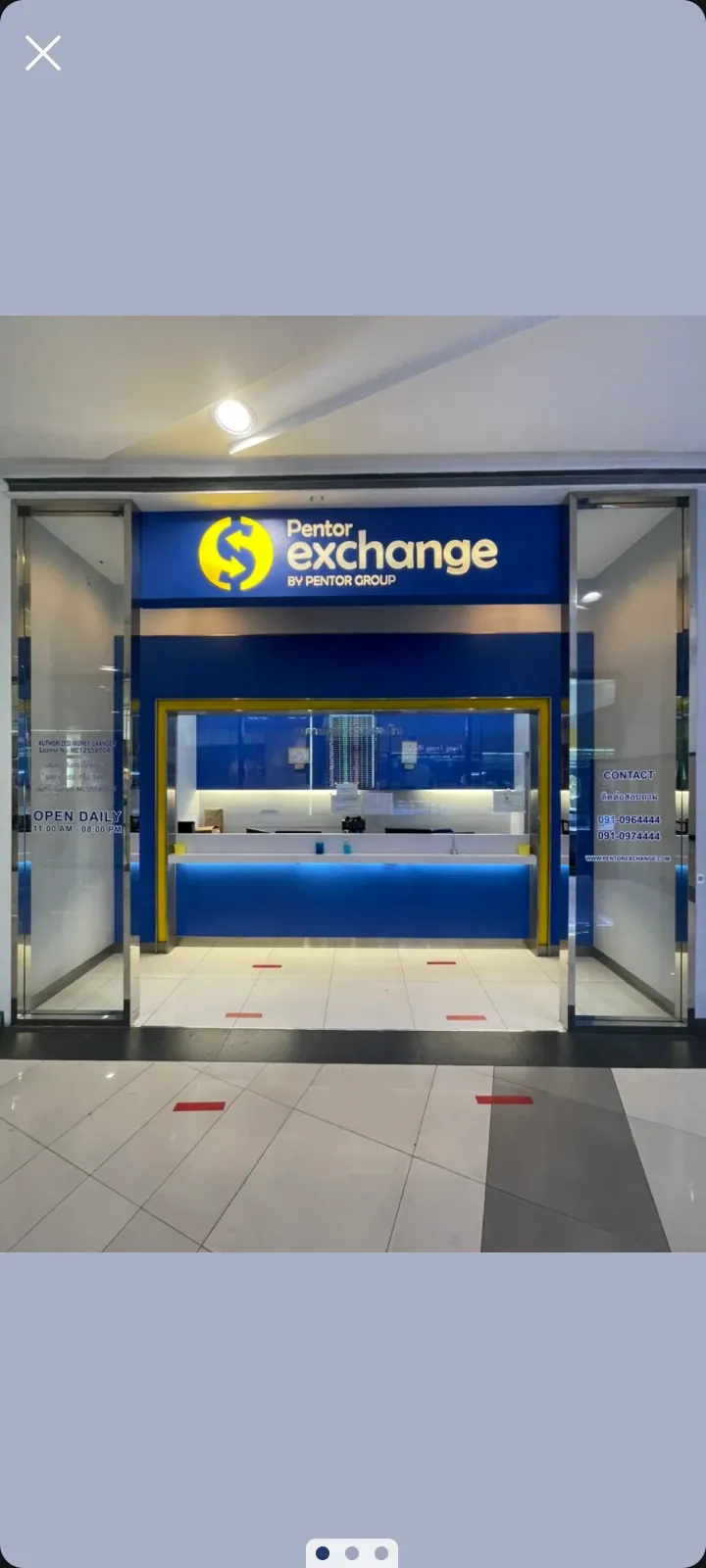
Information about the locations of exchange points can be easily viewed both as a list and on a map. Photos of the exchange point can also be viewed for easy identification.
Onboarding
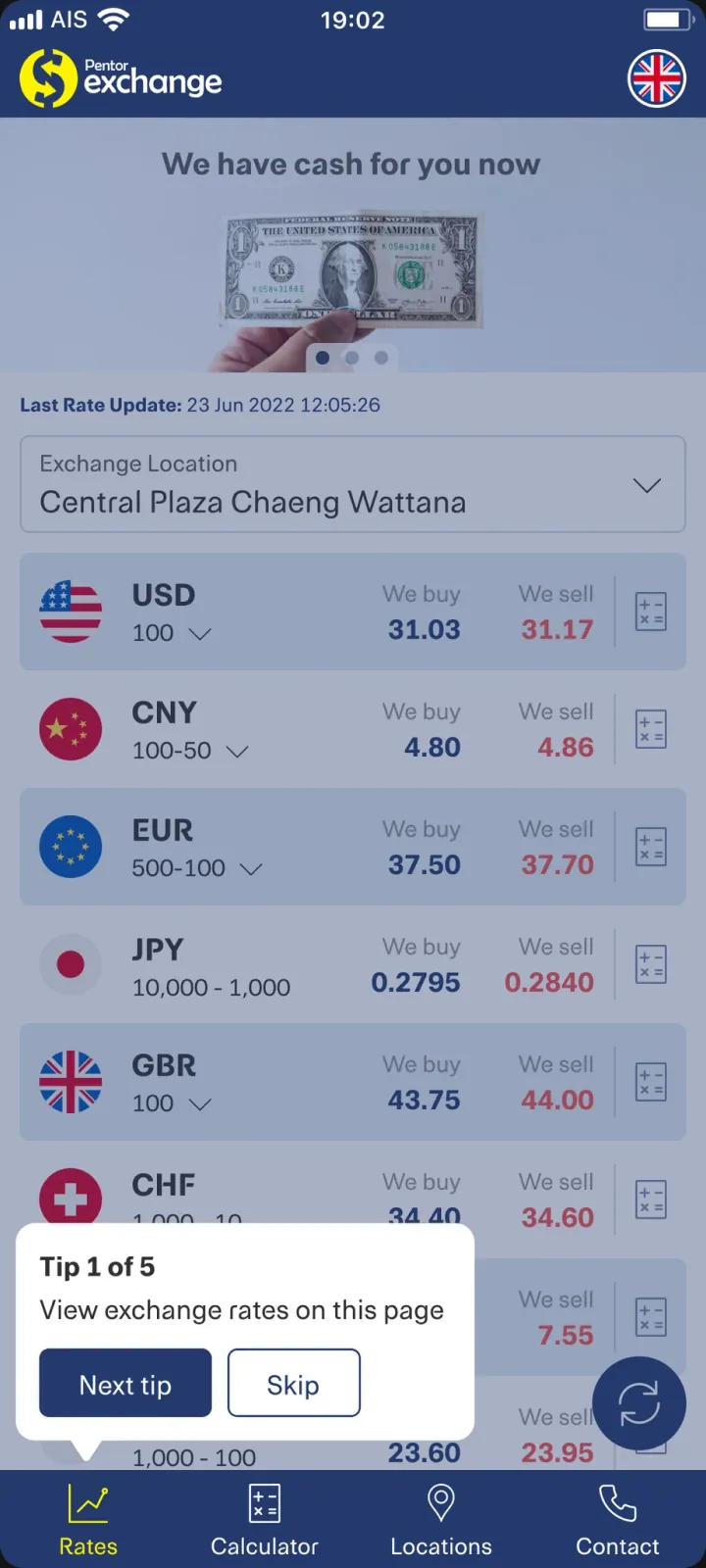
For new users, I prepared onboarding to help them navigate the application during its first launch.
Current Status
The application is functioning and is popular among tourists from around the world in Thailand.
Pentor Exchange
Redesign of the mobile application for a popular currency exchange network in Bangkok.
Fintech
Mobile
B2C
Company
Snocko Technologies Co.Ltd
Role
Product Designer
Pentor Exchange is a popular network of currency exchange points with the best rates in Bangkok, Thailand. The network has a mobile application of the same name for checking currency rates and information about the locations of exchange points.
Task
A complete redesign of the application. Reason: the old application was severely outdated — its design did not meet visual standards or usability criteria. Additionally, the application lacked features that competitors had long since implemented.
The interface of the old application:
Problem
There is a clear problem in the market for applications that monitor exchange rates: all players tend to copy market leaders — the applications of the SuperRich and SuperRich1965 exchange networks. These applications are far from the most user-friendly, so instead of blind copying, I insisted on conducting at least corridor testing to ensure that the solutions implemented by market leaders were far from ideal.
Hypotheses
Since one of the requirements was to design an exchange calculator, which I believed was not the most user-friendly among competitors, it became necessary to conduct a small test to confirm two formulated hypotheses. For this, I conducted corridor testing with 15 colleagues.
Hypothesis #1
Some people get confused by tables showing buying and selling rates. Buying — who is buying? Selling — who is selling? The exchange point or the person exchanging currency?
In my opinion, it would be much clearer if the interface asked how much currency the person has and how much they want to receive in exchange.
Hypothesis #2
Not everyone understands what denomination means, and using this word in the interface to denote a function is incorrect.
This hypothesis arose after the need to implement a function that competitors already had — indicating in the calculator the banknotes of each denomination for the amount that these banknotes can be exchanged for.
During testing, almost all 15 colleagues agreed with me, so it was decided to design an interface different from competitors.
Exchange Rates
Based on the confirmed hypothesis #1, the infamous Buying and Selling were replaced with the clearer We buy and We sell, to make it clear who is selling and buying — specifically the exchange point, not the person making the exchange. Thus, there is no room for misunderstanding on this screen.
Calculator
Here, conclusions from both the first and second hypotheses were used.
Indication of the total exchange amount
The application clearly asks what currency the user has and what they want to receive in return. The user then enters the amount of currency they have and receives an answer regarding how much they will get for the exchange.
Indication of the amount of banknotes of each denomination
If the user wants to know the exact amount they will receive as a result of the exchange, they can specify the amounts of banknotes of all denominations they have, and the application will calculate the exact amount of currency they will receive in return. This option is only available if the currency to be received has multiple denominations (for example, USD).
Locations of Exchange Points
Information about the locations of exchange points can be easily viewed both as a list and on a map. Photos of the exchange point can also be viewed for easy identification.
Onboarding
For new users, I prepared onboarding to help them navigate the application during its first launch.
Current Status
The application is functioning and is popular among tourists from around the world in Thailand.
Pentor Exchange
Redesign of the mobile application for a popular currency exchange network in Bangkok.
Fintech
Mobile
B2C
Company
Snocko Technologies Co.Ltd
Role
Product Designer
Pentor Exchange is a popular network of currency exchange points with the best rates in Bangkok, Thailand. The network has a mobile application of the same name for checking currency rates and information about the locations of exchange points.
Task
A complete redesign of the application. Reason: the old application was severely outdated — its design did not meet visual standards or usability criteria. Additionally, the application lacked features that competitors had long since implemented.
The interface of the old application:
Problem
There is a clear problem in the market for applications that monitor exchange rates: all players tend to copy market leaders — the applications of the SuperRich and SuperRich1965 exchange networks. These applications are far from the most user-friendly, so instead of blind copying, I insisted on conducting at least corridor testing to ensure that the solutions implemented by market leaders were far from ideal.
Hypotheses
Since one of the requirements was to design an exchange calculator, which I believed was not the most user-friendly among competitors, it became necessary to conduct a small test to confirm two formulated hypotheses. For this, I conducted corridor testing with 15 colleagues.
Hypothesis #1
Some people get confused by tables showing buying and selling rates. Buying — who is buying? Selling — who is selling? The exchange point or the person exchanging currency?
In my opinion, it would be much clearer if the interface asked how much currency the person has and how much they want to receive in exchange.
Hypothesis #2
Not everyone understands what denomination means, and using this word in the interface to denote a function is incorrect.
This hypothesis arose after the need to implement a function that competitors already had — indicating in the calculator the banknotes of each denomination for the amount that these banknotes can be exchanged for.
During testing, almost all 15 colleagues agreed with me, so it was decided to design an interface different from competitors.
Exchange Rates
Based on the confirmed hypothesis #1, the infamous Buying and Selling were replaced with the clearer We buy and We sell, to make it clear who is selling and buying — specifically the exchange point, not the person making the exchange. Thus, there is no room for misunderstanding on this screen.
Calculator
Here, conclusions from both the first and second hypotheses were used.
Indication of the total exchange amount
The application clearly asks what currency the user has and what they want to receive in return. The user then enters the amount of currency they have and receives an answer regarding how much they will get for the exchange.
Indication of the amount of banknotes of each denomination
If the user wants to know the exact amount they will receive as a result of the exchange, they can specify the amounts of banknotes of all denominations they have, and the application will calculate the exact amount of currency they will receive in return. This option is only available if the currency to be received has multiple denominations (for example, USD).
Locations of Exchange Points
Information about the locations of exchange points can be easily viewed both as a list and on a map. Photos of the exchange point can also be viewed for easy identification.
Onboarding
For new users, I prepared onboarding to help them navigate the application during its first launch.
Current Status
The application is functioning and is popular among tourists from around the world in Thailand.